Bring broken videos back.
HealVideo is a free video repair tool for corrupted MP4 and MOV files. It fixes videos that won't play: recordings cut short when the battery died, files with a missing index, clips scattered across a memory card. Open source, and nothing ever leaves your computer.
For macOS, Windows and Linux. Early preview, version 0.1: not yet signed, and so far tested by people only on macOS.
Corrupted video repair that tells you what went wrong.
Before it changes anything, HealVideo reads the file and explains the damage. Then it saves a repaired copy and test-plays it by decoding the first 30 seconds. The original stays exactly as it was.
- DJI_0412.MP41.4 GBThe video data is there, but the index is missing. This usually means the camera stopped before it finished saving.
- IMG_2291.MOV612 MBThe recording was cut short. The index is there, but part of the video is missing.
- GX010087.MP43.9 GBThe file ends in the middle of its index, so players cannot read it.
- clip_final.mp40 bytesThe file is empty. There is nothing to repair.
Honest results: if only part of a video can be saved, or the sound could not be recovered, HealVideo says so.
Fix the problem you have.
- Repair a corrupted MP4 fileWhy MP4 files break, and how to get a playable copy back.
- Fix “moov atom not found”The error you see when a video lost its index. Usually fixable.
- Video won’t playTell a player problem from a broken file, then repair the file.
- Repair a corrupted MOV fileiPhone and QuickTime videos that won’t open.
- Video cut off when the camera diedAction cameras, drones and dashcams that lost power mid-recording.
- Recover deleted videos from an SD cardPut the scattered pieces of each video back in order.
Repair a video in four steps. No settings to learn.
-
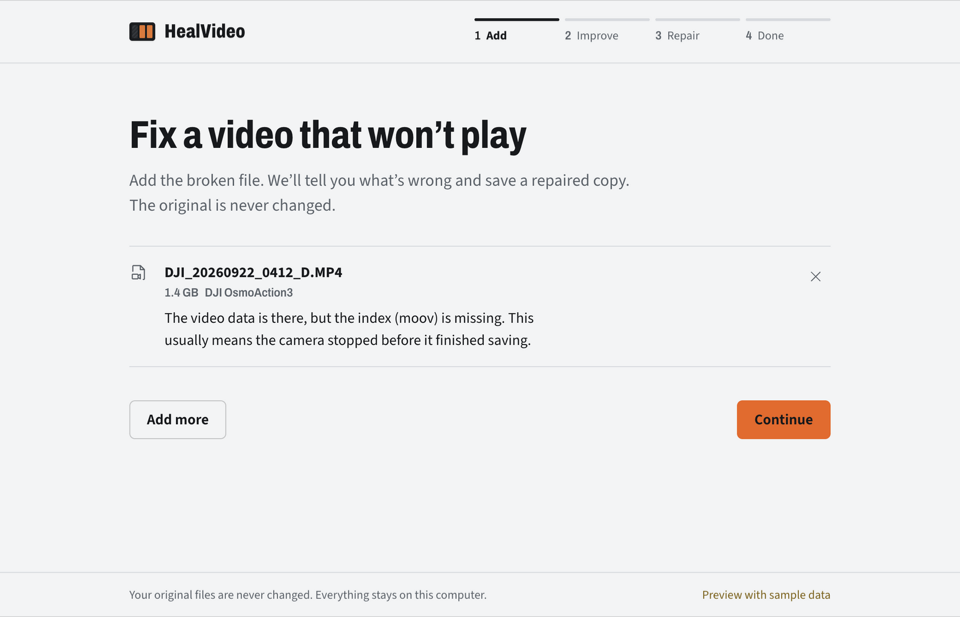
1Add
Drop in one video or several at once. If they come from different cameras, HealVideo keeps the biggest group and tells you which files it skipped.
-
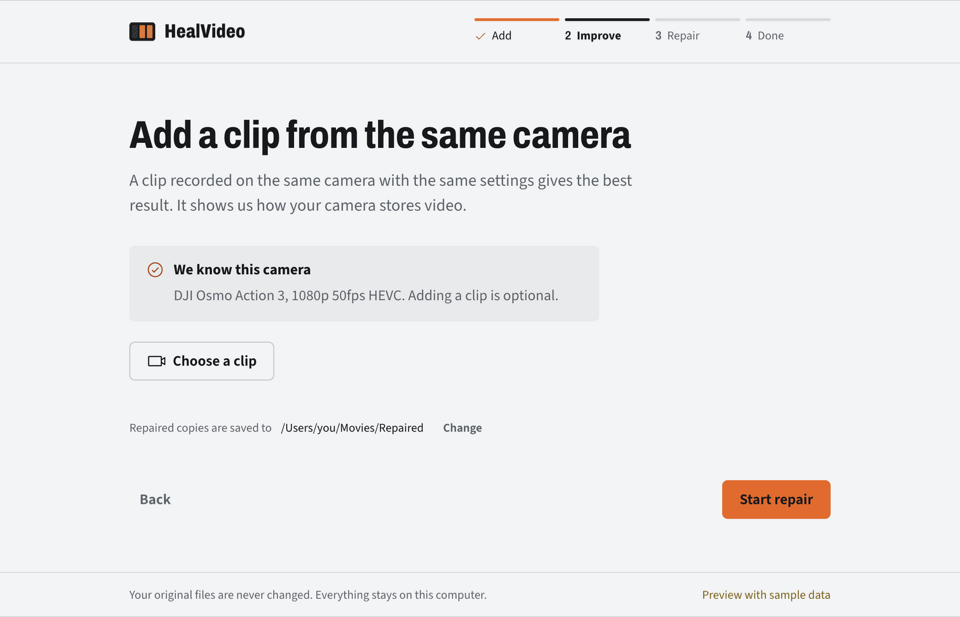
2Improve
Add a working clip from the same camera for the best chance. No clip? It tries anyway, and for cameras it already knows, it doesn't need one.
-
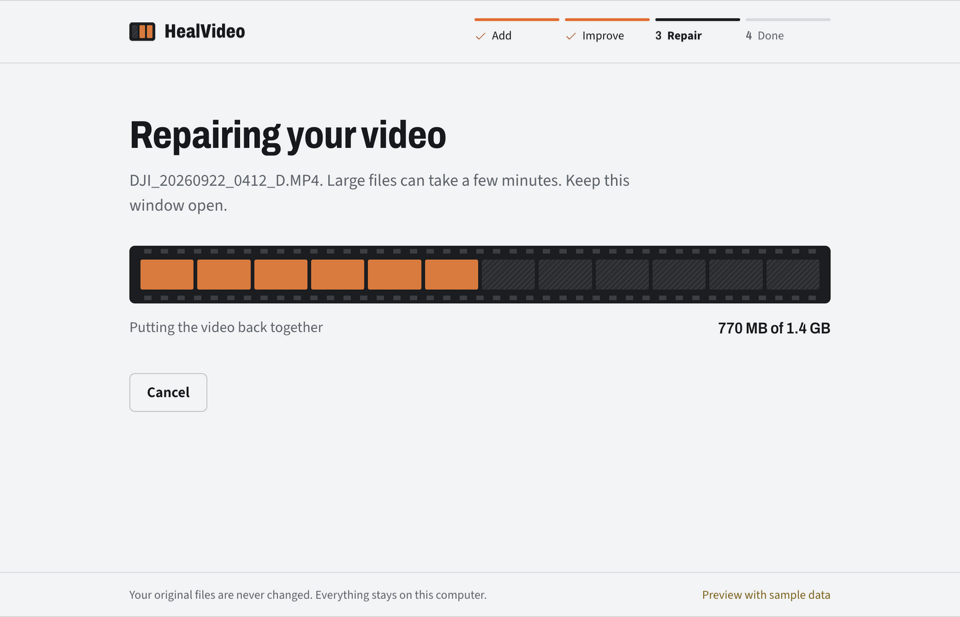
3Repair
Watch the film strip fill in as frames come back. Large files take a few minutes.
-
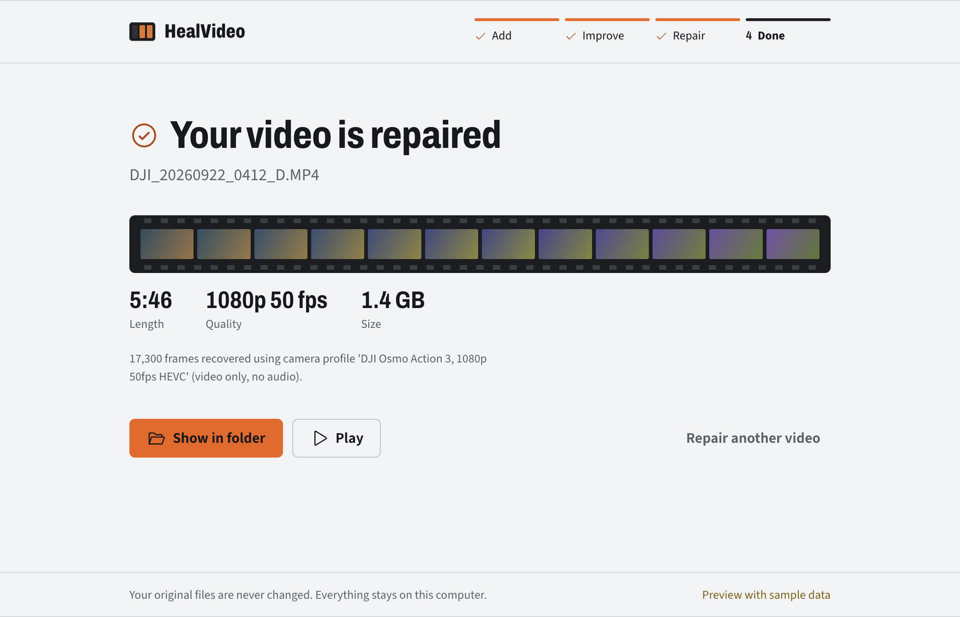
4Done
You get a new, playable file next to a short report. The original is never touched.
Recover videos from a memory card, in the right order.
Deleted from an SD card? The pieces are often still there. Cameras write long videos in chunks spread across the card. Once a file is deleted, ordinary recovery tools find the pieces but not their order. HealVideo reads an image of the card and puts the pieces of each video back in sequence.
exFAT cards today. Tested on a real 64 GB card: 115 videos rebuilt. How to recover deleted videos from an SD card.
Teach HealVideo your camera.
Every camera stores video a little differently. A camera profile records those settings, so HealVideo can repair that camera's files without asking for a sample. One working clip is enough to make one.
Choose a clip that plays fine. This page reads its settings right here in your browser. The video is never uploaded. You see exactly what will be shared, then send it to the project on GitHub.
A profile holds decoder settings only: no pictures, no sound, no location.
Sending opens a GitHub issue with this text filled in. You need a free GitHub account to post it.
Download
Version 0.1, early preview. Free and open source under the GPL.
- Mac with Apple chipM1 or newerHealVideo-mac-arm64.dmg179 MB
- Mac with Intel chipmacOS 11 or newerHealVideo-mac-x64.dmg186 MB
- WindowsWindows 10 or 11HealVideo-windows-setup.exe155 MB
- LinuxAny distributionHealVideo-linux.AppImage197 MB
- Debian, Ubuntu, MintInstalls with aptHealVideo-linux.deb155 MB
Opening it the first time
The installers are not yet signed with a paid publisher certificate, so your system may warn you once. On a Mac, right-click HealVideo, choose Open, then Open again. On Windows, choose More info, then Run anyway. On Linux, make the AppImage executable and run it.
Prefer the command line? Run it with Python. Want to check the code first? It's all on GitHub.
Questions about repairing videos
How do I repair a corrupted video file?
Download HealVideo, drop the video in, and press Start repair. It explains what is wrong first, then saves a repaired copy. Adding a working clip from the same camera gives the best result. Your original file is never changed.
Can a corrupted MP4 file be fixed?
Often, yes. Most corrupted MP4 files still contain their video; what is missing is the index a player needs. HealVideo can rebuild the index for H.265 video with a camera profile or a working clip, and keeps what is readable when a recording was cut short.
Why won’t my video play?
Usually because recording or copying stopped before the file was finished: the battery died, the card was removed, or the app crashed. Try VLC first. If no player opens it, the file is damaged and can often be repaired.
Is HealVideo free?
Yes. It is free and open source under the GPL, with no watermark, no trial and no account.
Does HealVideo upload my video?
No. Everything happens on your computer. Even the camera form on this website reads your clip in the browser and sends nothing unless you choose to share its settings.
Does it work on Mac, Windows and Linux?
Yes, there are downloads for all three. It is an early preview: the Mac version has been tested by people, and the Windows and Linux versions are built automatically but not yet tested by hand.
Which cameras and formats are supported?
MP4 and MOV files. Repair without a sample clip works today for the DJI Osmo Action 3 at 1080p 50 fps. Other cameras work with a working clip from the same camera; you can help add yours from this page.
Can it fix a video with no sound, or glitches in the picture?
Rebuilt videos currently have no sound. Glitches inside a file whose structure is fine can’t be undone; HealVideo says so instead of pretending.